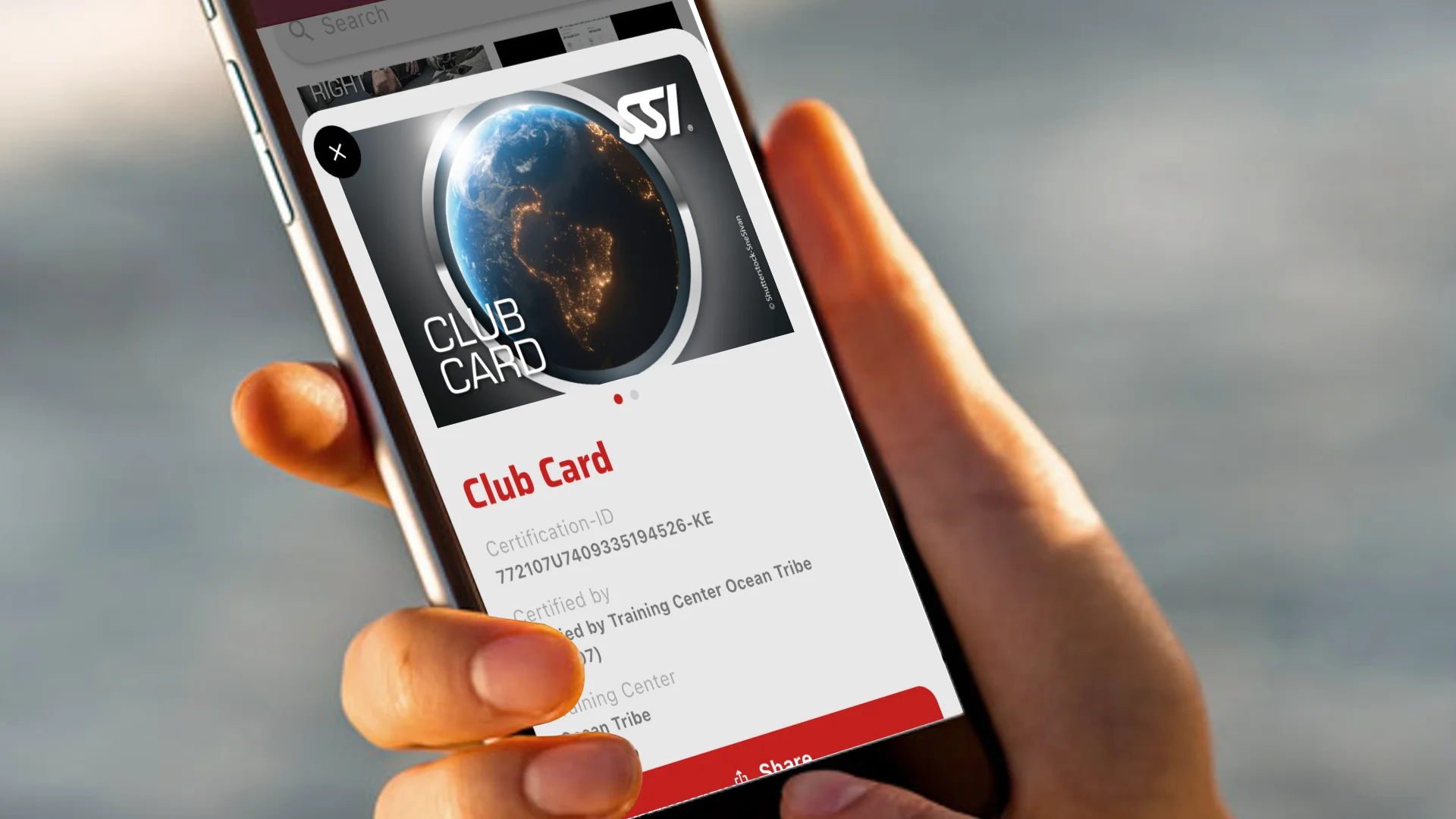
Your digital dive club membership card is your gateway to exclusive benefits, including discounts on dive trips, equipment, courses, and even food and beverages at select local establishments like the Funky Monkey Bar & Restaurant. Here’s how you can access your Ocean Tribe Dive Club membership card through the MySSI app:
Step 1: Register for a MySSI Profile
If you haven’t already, start by creating your MySSI profile.
- Visit the registration page: https://my.divessi.com/register/ref/772107
- Fill in your personal details accurately to ensure seamless integration with your diving records.
- When prompted, affiliate yourself with Ocean Tribe Diani as your primary training center.
Step 2: Download the MySSI App
The MySSI app is your comprehensive digital diving companion, offering features like digital certification cards, dive logs, and access to training materials.
- For iOS users: Download from the Apple App Store.
- For Android users: Download from the Google Play Store.
Step 3: Sign In to the MySSI App
Once the app is installed:
- Open the app and select the “Login” option.
- Enter the credentials you used during the registration process.
- Upon successful login, you’ll be directed to the app’s main dashboard.
Step 4: Access Your Club Membership Card
To view your Ocean Tribe Club Membership Card:
- Tap on the “More” icon located at the bottom right corner of the screen.
- Select the green “Cards” icon from the menu.
- Under the “SSI Recognition” section, locate the “Club Card” entry.
- Tap on it to view your digital membership card.
This card serves as proof of your membership and can be presented during club events, dive trips, and other affiliated activities.
Additional Tips
- Stay Updated: Regularly check the app for updates on upcoming dive trips, training sessions, and club events.
- Digital Dive Log: Utilize the app’s dive log feature to record and track your diving experiences.
- Training Materials: Access a plethora of training resources to enhance your diving skills and knowledge.
Should you encounter any challenges or have questions about accessing your membership card, feel free to reach out to us or visit our dive center in Diani. We’re here to assist you every step of the way.
Happy Diving! 🐬🌴
For a visual walkthrough on accessing your SSI certification and recognition cards using the MySSI App, you might find the following video helpful: