Know your screen. Own your dive.
Learn to understand, configure and confidently use your dive computer. Know what the numbers mean, respond correctly to warnings and get more from every dive.
Stop guessing what the numbers mean
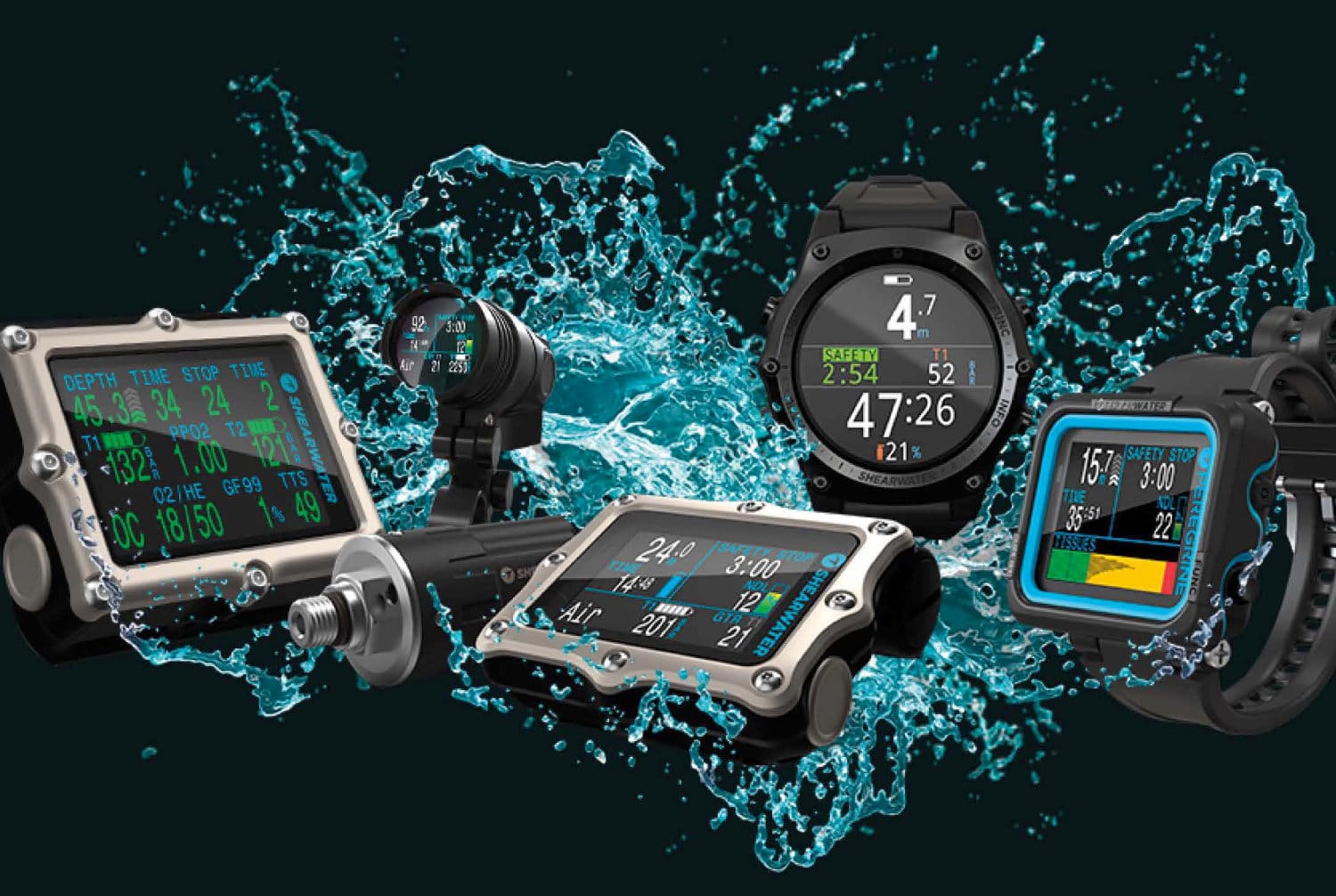
Your dive computer continuously follows your individual dive profile. It tracks your depth and time, calculates your remaining no-decompression limit and helps you control your ascent.
The SSI Computer Diving Specialty shows you how to set up and use this essential piece of equipment properly. You will work with an SSI Instructor, explore the functions of different computer models and learn how to interpret the information presented during a dive.
This is a dry specialty course. No dives are required, although you can add a Diani dive trip afterwards to practise using your computer in real conditions.

Understand the information that keeps you informed
Learn what your computer is telling you before, during and after the dive, and what action to take when the information changes.
Depth information
Understand current depth, maximum depth and how changes in depth affect your dive profile.
No-decompression limit
Learn how your remaining no-decompression time changes throughout the dive and why it must be monitored.
Ascent-rate display
Recognise ascent-rate warnings and learn how to maintain a slow, controlled ascent.
Safety-stop guidance
Understand when the safety-stop display appears and how your computer tracks the stop.
Dive log information
Review stored depth, time, temperature and profile information after your dive.
Warnings and alarms
Identify common visual or audible warnings and understand the correct response.
Learn the logic behind the display
Different manufacturers arrange information in different ways, but the essential principles remain the same. Your instructor will help you understand your own computer and compare it with other common models.
- Set the correct operating mode and personal preferences.
- Navigate menus and locate important settings.
- Read depth, time, ascent and no-decompression information.
- Understand safety features and warning displays.
- Review and download logged dive information where supported.
- Care for, store and maintain your dive computer correctly.
Learn at home, then master your device
SSI digital learning
Complete the Computer Diving digital learning through the MySSI app before your instructor session.
Instructor workshop
Review the theory, explore computer functions and discuss anything that was unclear during your online learning.
Practical setup
Work through menus, settings, displays, alarms, dive logs and common troubleshooting with an SSI Instructor.
Learn together and save
Individual booking
Per person
Per person
Group prices apply to divers included on the same reservation. Ocean Tribe does not combine separate reservations to create a group rate.
Everything you need to understand your computer
SSI digital learning
Access the Computer Diving academic material through the MySSI app.
Instructor classroom session
Personal instruction covering computer setup, displays, warnings, planning and maintenance.
Diani transfers
Local transfers within the Diani area are included for your course session.
Course requirements
Add a real dive
The Computer Diving Specialty itself does not include dives. Add a guided Diani dive trip and practise monitoring depth, dive time, no-decompression limits, ascent rate and your safety stop in the ocean.
Computer Diving FAQ
Does this course include any dives?
No. This is a dry specialty course consisting of SSI digital learning and a classroom session with an instructor. You can add a guided dive trip if you want to practise using your computer underwater.
Do I need to own a dive computer?
You do not necessarily need to own one to begin the course. If you already have a computer, bring it so your instructor can help you understand its specific menus, settings and displays.
How long does the course take?
The instructor-led portion can normally be completed in approximately half a day. Your SSI digital learning should be completed in advance.
Will I learn to plan dives with my computer?
Yes. The course explains how dive computers monitor your profile, calculate no-decompression information and support dive planning.
Will the course cover Nitrox settings?
Your instructor can explain common gas-setting functions where appropriate. Using enriched air also requires the relevant Enriched Air Nitrox training and correct gas analysis procedures.
Why should every diver understand their own computer?
Your computer follows your individual depth and time profile. Its information may differ from your buddy’s computer, so you need to understand and monitor your own device throughout the dive.
Make your dive computer your most useful piece of equipment
Contact Ocean Tribe for the next available Computer Diving course session.