

What is the Best
Dive Log App 2026
Your dives. Your discoveries. Your next milestone. Find a logbook that works with your phone, your computer, and the way you dive.
Your best app starts
with your diving.
What is the best dive log app? For many recreational divers, MySSI or the PADI App is an excellent starting point. But the right choice depends on your phone, your dive computer, and what you want to record.
Agency apps bring training, certification cards, and logging together. Manufacturer apps connect with your equipment. Independent logbooks offer another route for detailed records and analysis. Before downloading them all, narrow the choice.
iOS or Android?
Check your phone first. Do you also want access from a Mac or Windows computer?
Free or paid?
Free can be enough. Pay when a particular feature or workflow makes it worthwhile.
Which computer?
Look up your exact model, connection method, and any interface you need.
Keep the details
you’ll want back.
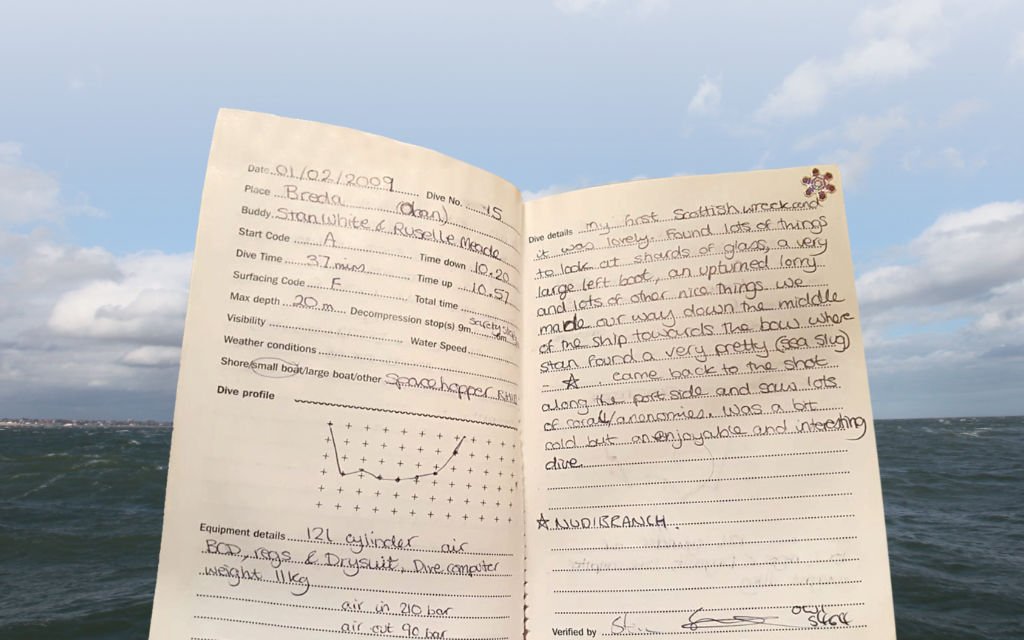
How much weight did you need? Which reef had the turtles? What were the conditions on that wreck? When did you last dive?
A useful log helps you prepare for future trips, show your experience, and remember the moments your dive computer cannot capture.
Paper logs still make brilliant keepsakes. Digital logs add convenient searching, profiles, and—in supported setups—computer downloads. The best routine is one you actually keep using.
Learn it.
Log it.
Keep it together.
Both SSI and PADI combine dive logging with access to their digital certification cards and learning materials. If you already use an agency app for a course, continuing with it is a convenient choice.
Study, show your qualifications at a dive centre, and record the day’s adventure without juggling several separate tools.
Recognition cards
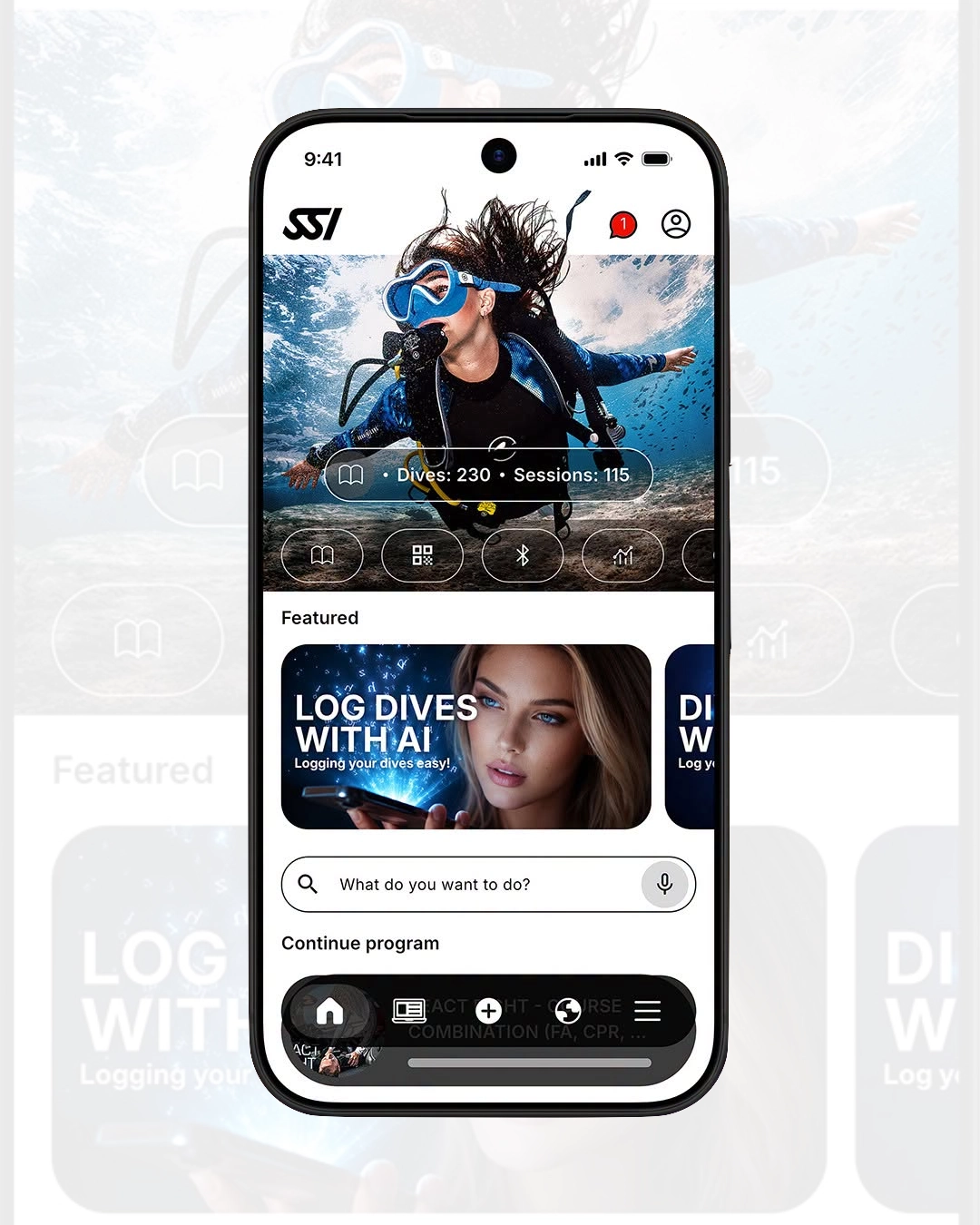
SSI automatically issues free digital recognition cards, including Specialty Diver, Advanced Open Water Diver, and Master Diver, once you meet the applicable training, experience, and verification requirements.
Diving awards
MySSI recognises milestones through its awards system, including total dives, deepest dive, and longest dive. Relevant records need verification. Celebrate your history while diving within your training and plan.
Ready-to-use sites
MySSI’s dive-site database, GPS tagging, and QR-code tools speed up entries. Select the site, add your details, and capture what made the dive memorable.
Different computer.
Same main logbook.
MySSI works with more than just Mares. Its support extends to listed models from Suunto, Aqualung, Oceanic, Apeks, Cressi, and Shearwater. For SSI divers, this is a strong reason to check the agency app before paying for a separate logbook.
The compatibility list below reflects the in-app list supplied for this article. Confirm the latest model support and connection instructions inside MySSI.
Mares
- Puck Pro
- Matrix
- Smart
- Smart Apnea
- Quad
- Quad Air
- Genius
- Smart Air
- Sirius
- Puck 4
- Puck Lite
- Puck Pro Ultra
- Quad Ci
- Quad 2
- Sirius L
- Puck Pro EZ
- Horizon
- Sirius Hunter
- Puck Air 2
Suunto
- EON Core
- D5
Aqualung
- i300C
- i200C
- i770R
- i550C
- i470TC
- i330R
Oceanic
- Veo 4.0
Apeks
- DSX
Cressi
- Cartesio
- Goa
Shearwater
- Perdix
- Perdix AI
- Teric
- Peregrine
- Petrel 3
- Perdix 2
- Tern TX
- Peregrine TX
Already learning with PADI?
Start with its app.
The unified PADI App brings together eCards, eLearning, a digital logbook, diving tools, a dive-shop locator, and PADI Adventures. It supports training and recreational logging online and offline, with downloadable learning materials for studying away from an internet connection.
Available on iOS and Android, it provides a practical route from your first course into regular diving. The app and basic logbook are free; paid courses and separately chargeable products remain separate purchases.
If keeping your PADI learning, qualifications, and logs together is your priority, explore it before buying another logbook.
Logging a dive.
Verifying a dive.
Know the difference.
Agency integration is convenient, but verification can be less straightforward when you dive with operators from different organisations.
SSI award verification
Verification for SSI awards and recognition can only be completed by an SSI Training Center or SSI Professional. You can record dives without it, but downloading a profile alone does not complete this step.
PADI training dives
PADI’s published training-dive verification process uses the PADI instructor, including a QR-code option. Being a professional with another agency does not itself give someone that PADI instructor role.
Is your ideal app
already part of
your setup?
Your computer manufacturer’s app may offer everything you need for downloading and reviewing dives. Some also handle supported computer settings and firmware updates.
Even if you keep your main logbook in MySSI, you may still want the manufacturer app for particular equipment functions.

Dive Shearwater
Dive records, interactive maps, and integration with compatible Shearwater equipment. Shearwater recommends it as the successor to Shearwater Cloud.
Garmin Dive
Automatic logging from compatible Garmin devices, dive profiles, site discovery, photographs, and equipment records. A natural starting point for Descent users.
Suunto app
Dive downloads and analysis for compatible Suunto computers. Direct Bluetooth transfer is available for models including D5, EON Core, and EON Steel.
LogTRAK 2.0
Dive downloads, profile analysis, cloud storage, and supported computer settings. Mobile and web access provide different ways to review your history.
Mares App
A digital logbook, dive-site database, and firmware checks for compatible equipment. If you already use MySSI, check whether it meets your logging needs first.
DiverLog+
Bluetooth downloads, detailed logs, equipment and buddy records, plus supported settings and firmware functions. Check its exact supported-model list.
Cressi app
Dive-data downloads and review for compatible Cressi computers. Certain models require a separately purchased interface to communicate with your phone.
Think beyond one computer.
If you change brands or use two computers, check how you can import, export, and preserve your history. Separate apps do not necessarily synchronise with each other.
Check the complete cost. Free downloads are available for options including Garmin Dive, Suunto app, and DiverLog+. Interfaces and additional functions can cost extra. A watch app that turns a compatible watch into a diving instrument is also a different purchase from a basic logging companion.
Want to go
your own way?
Independent logbooks are worth exploring for detailed analysis, desktop access, or a diving archive managed separately from your training agency.
Subsurface
Open-source software for Windows, macOS, and Linux, with Subsurface-mobile for Android and iOS. It supports many computers, imports from other systems, and offers optional free cloud storage.
Strong for detailed profiles and statistics. Check the download method for your computer and platform.
Explore Subsurface ↗MacDive
An iPhone and iPad logbook that can work independently or alongside MacDive for macOS. Features include supported Bluetooth downloads, photographs, wildlife records, and equipment management.
Worth considering if you use Apple devices and enjoy a detailed personal diary.
View MacDive ↗Dive Log
Detailed entries, GPS locations, buddies, and connections with compatible desktop software. Downloads from some computers require an in-app purchase or supported accessory.
Check the complete setup cost, including any desktop software you want.
View Dive Log ↗Great features matter.
So does enjoying the app.
In online discussions, divers repeatedly highlight reliable downloads, easy editing, and access to their history. Recent Shearwater-owner discussions include recommendations for Subsurface, Dive Log, and other alternatives.
Opinions are mixed on interfaces: some praise Subsurface’s flexibility while finding it less intuitive. A PADI App user in another discussion praised its straightforward navigation and detailed entry fields.
These are individual experiences, rather than a controlled ranking. The useful lesson is to log a few real dives before moving your whole history. An app with more features is only better if those features help you.
Read the Shearwater-owner discussion · Read the wider logbook discussion
What is the best dive log app
for you?
| Your priority | Start here | Why? |
|---|---|---|
| SSI learning, cards, logs, and recognition | MySSI | Convenience plus broad supported-computer compatibility. |
| PADI learning, eCards, and logs | PADI App | Core PADI activities together in one place. |
| Functions built around your computer | Manufacturer app | Downloads and supported equipment functions. |
| Free independent analysis and desktop access | Subsurface | Detailed tools across several platforms. |
| A paid Apple-device logbook | MacDive / Dive Log | Compare their features and your computer’s compatibility. |
- Match your devices.Confirm iOS or Android support and any desktop software you need.
- Work out the total cost.Include interfaces, download purchases, subscriptions, and desktop licences where applicable.
- Try it away from Wi-Fi.Test the exact functions you want to use on a boat or at a remote dive site.
- Protect your memories.Check backup and export options before committing years of dive history.
Before you download.
Can I use MySSI with a Shearwater or another brand?
Yes, with supported models. MySSI’s list includes the Shearwater Teric, Perdix AI, Peregrine TX, and other listed computers, alongside models from several manufacturers. Check the current in-app compatibility list and required connection method.
Does a computer download verify my dive?
No. Downloading the profile and verifying it for an agency purpose are separate steps. SSI award and recognition verification requires an SSI Professional or Training Center; PADI training dives follow PADI’s instructor verification process.
Do I have to pay for a good dive log?
No. MySSI, the PADI App, and Subsurface offer free starting points. Pay when a specific feature, interface, or workflow makes another option worthwhile for you.
Do I need both an agency app and a manufacturer app?
Not necessarily for logging. MySSI may already import the data you want. Keep a manufacturer app if you need equipment functions it provides, and choose where your main dive history will live.
Less admin.
More underwater memories.
SSI diver? Try MySSI first. PADI diver? Explore the PADI App. If computer functions or detailed analysis matter most, compare the compatible manufacturer and independent options.
The best app fits your equipment, budget, and habits—and makes you want to log the next dive. Joining Ocean Tribe in Diani? Ask our team for help getting started with MySSI and understanding verification.